Connect with Microsoft Teams
To enable sending alert notifications from CubeAPM to Microsoft Teams, you need to create an Integration within your Microsoft Teams. The following steps guide you through the process:
-
Create a channel for CubeAPM alert in your Microsoft Teams org.
-
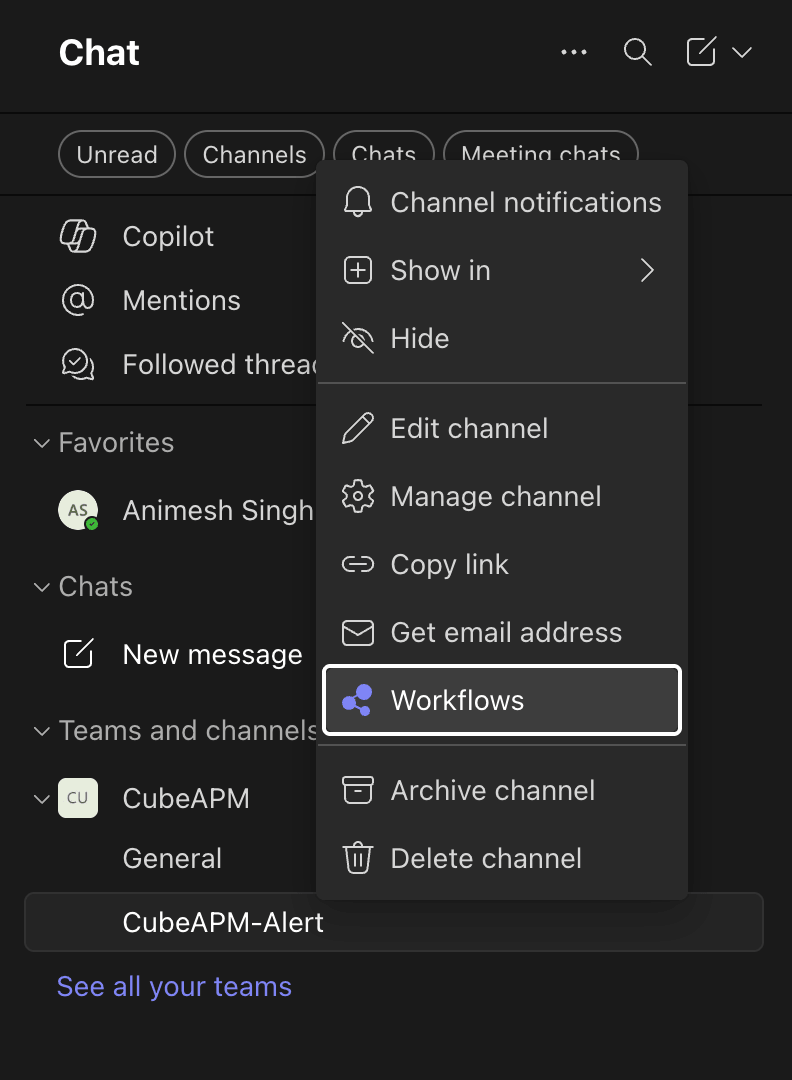
Right Click on CubeAPM alert channel & select Workflows.
-
Go to Workflows Home and select + Build from scratch.
-
In the trigger search box type:
When a Teams webhook request is received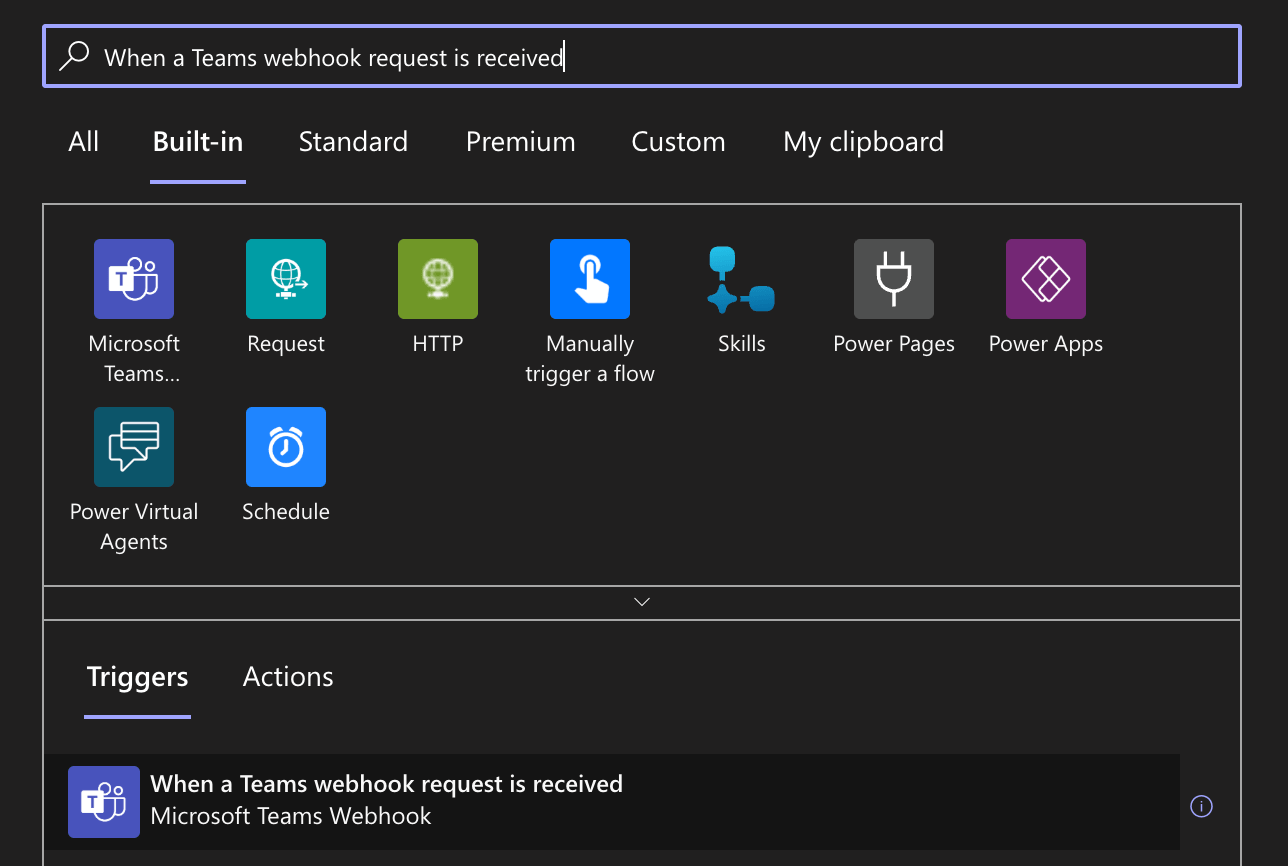
-
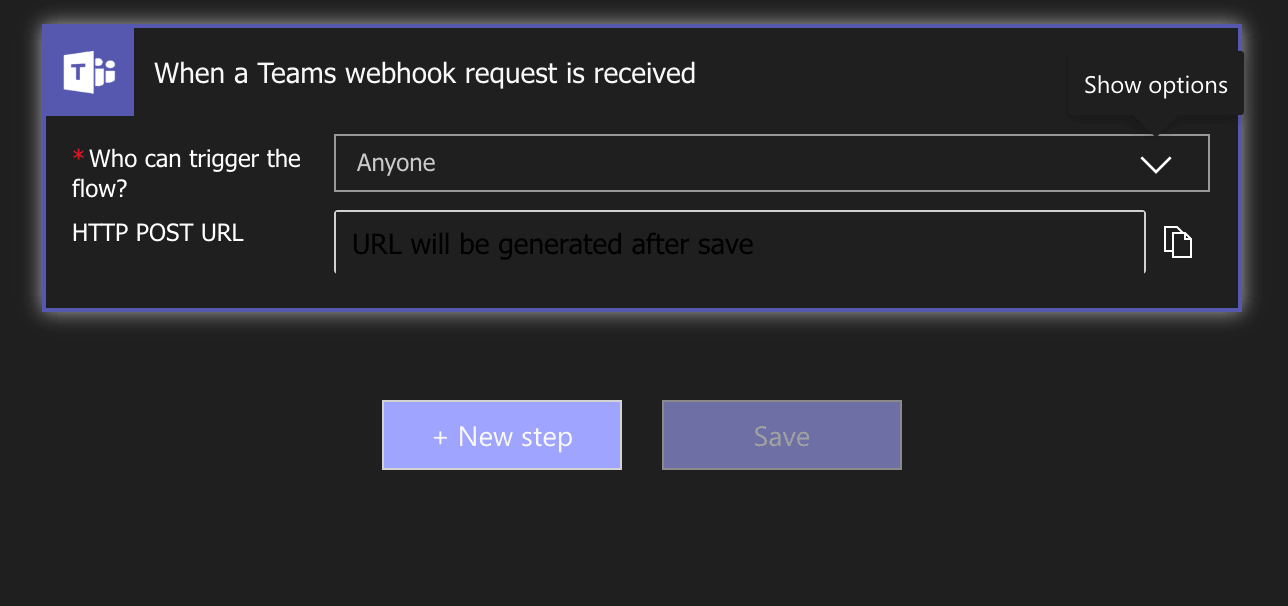
Select that trigger -> for "Who can trigger the flow" choose: Anyone and click + Next Step.
-
Search for Post card in chat or channel action.
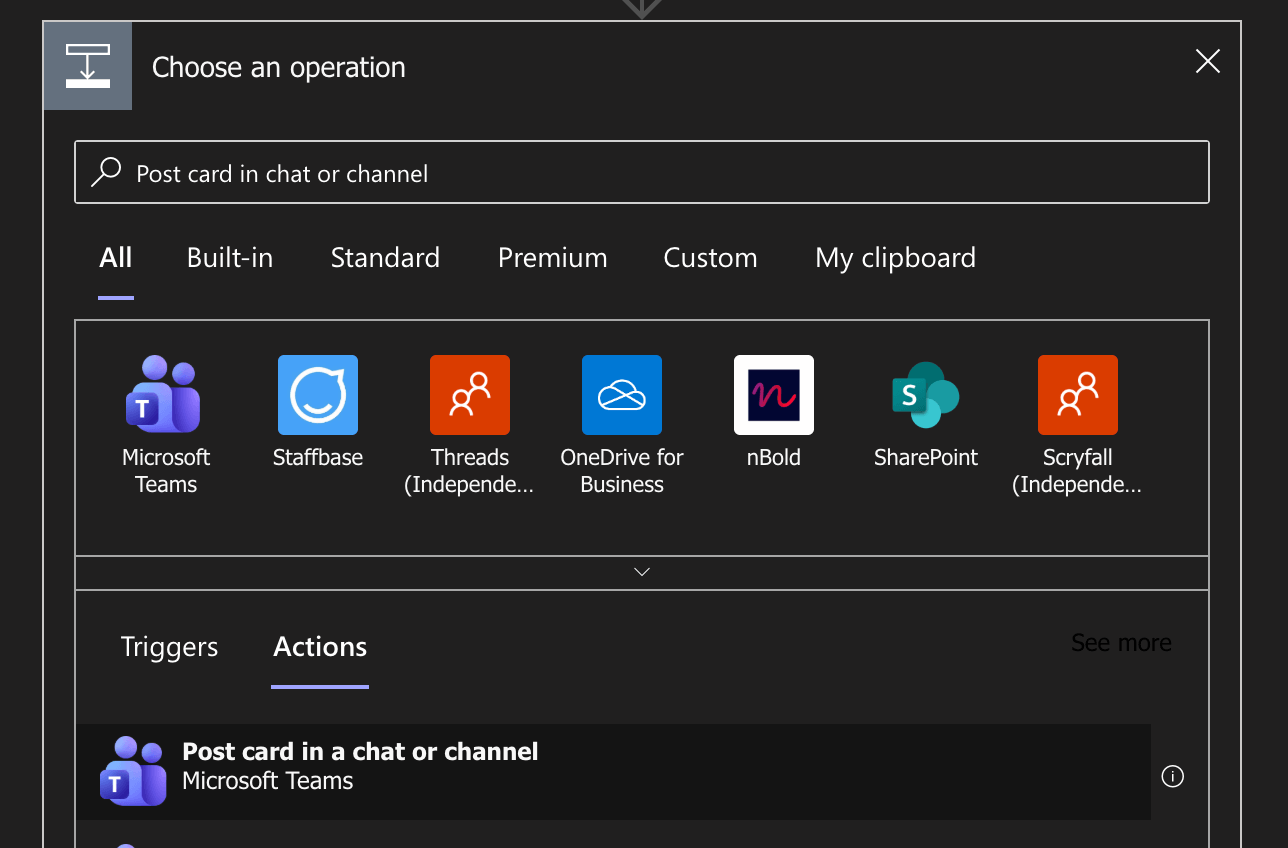
-
Fill the required fields in Post card in chat or channel action:
 Post as        -> Flow bot
 Post in        -> Channel
 Team           -> <your team>
Channel -> <cubeapm-alert-channel>- In the Adaptive Card -> When you click in Adaptive Card section there's pop-up comes select Expression and paste this json:
json(string(triggerBody()?['attachments'][0]['content']))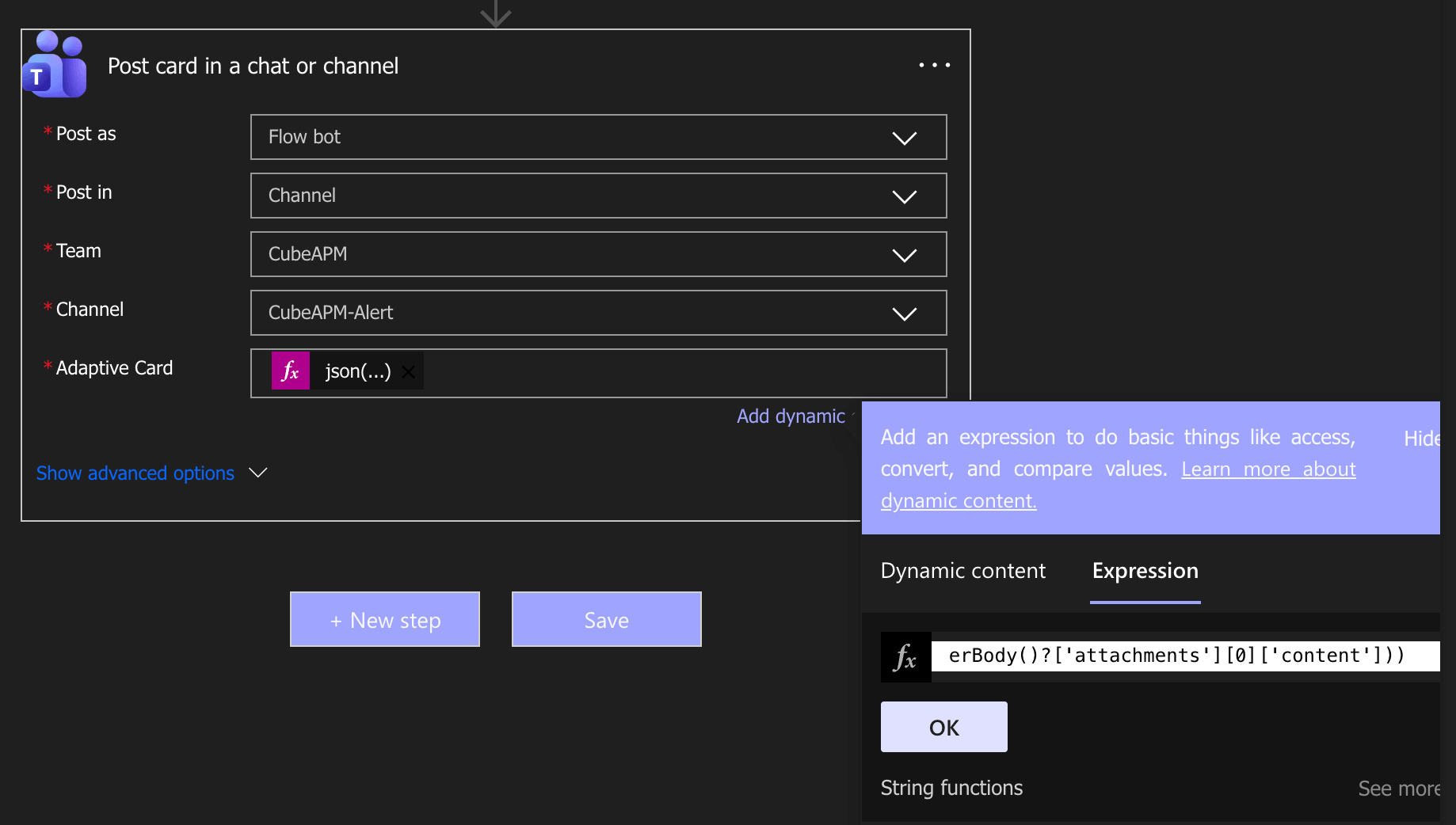
-
After configuring these Setup Click on Save and it will show in the WorkFlows Tab.

-
Select the workflow and click on Copy Webhook Link.
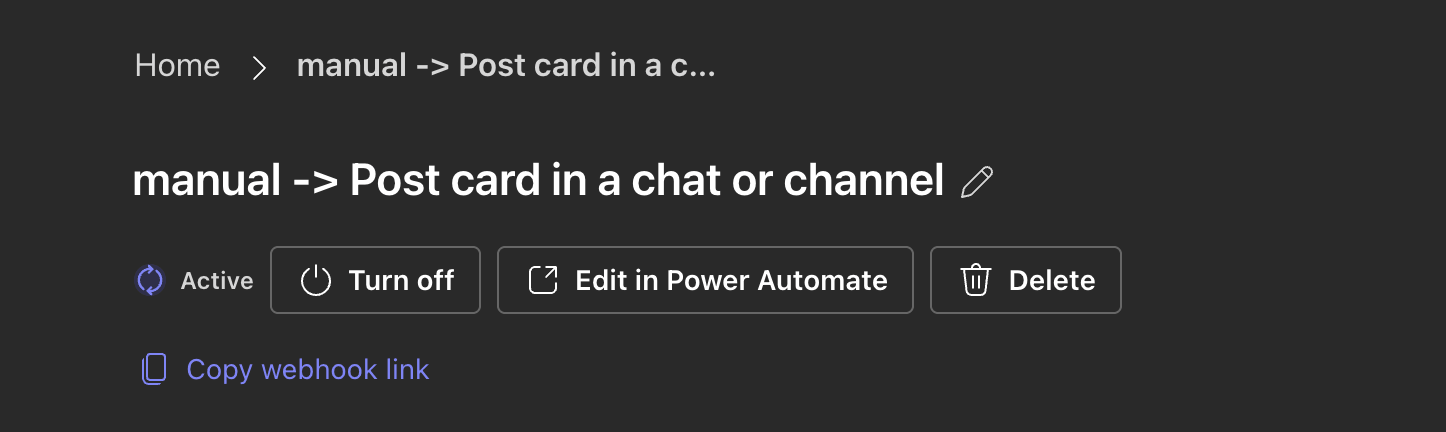
-
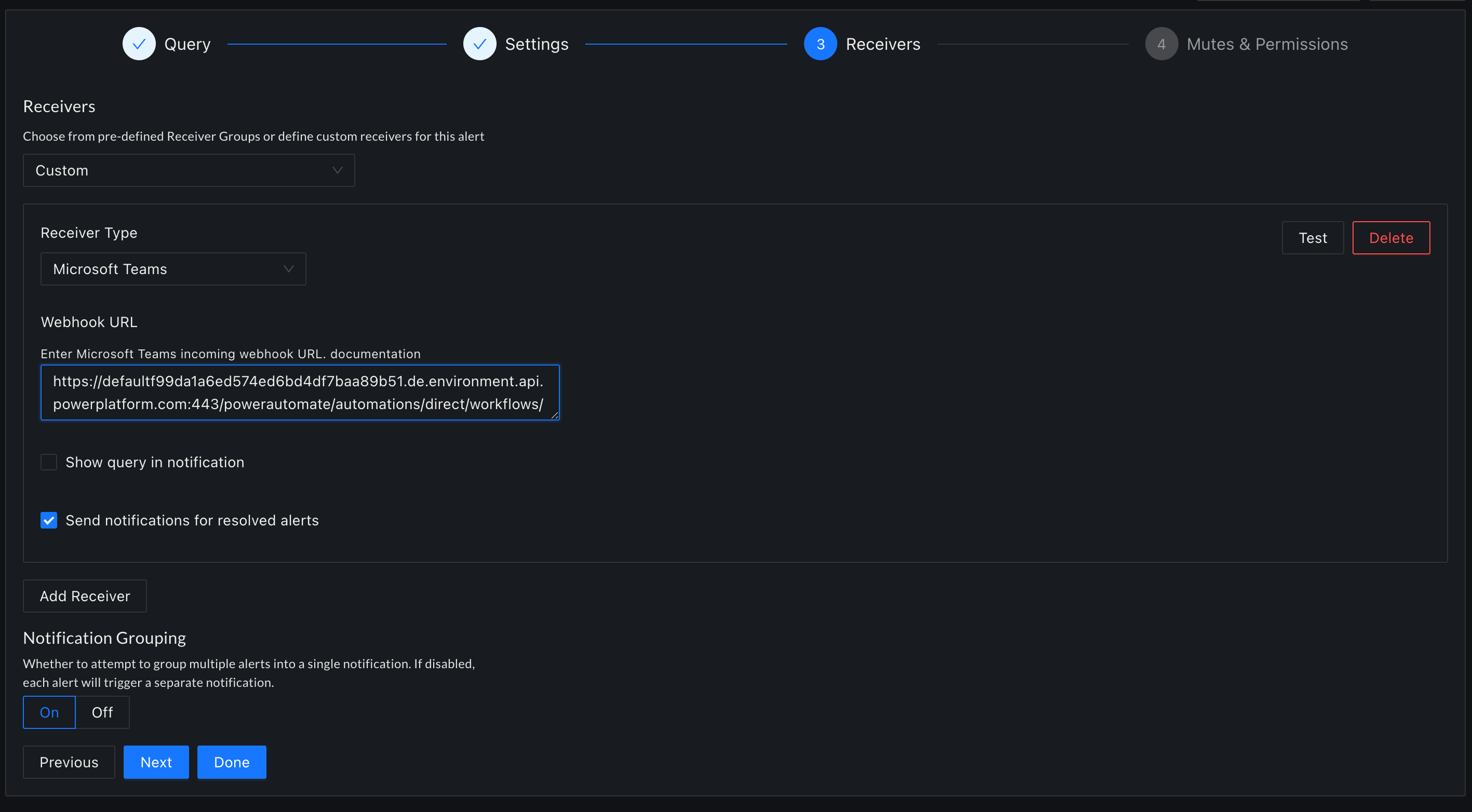
After copying the Workflow URL go to CubeAPM Alert Page -> Configure Alert -> Receiver Type select Microsoft Teams -> Webhook URL paste the copy webhook link -> click Done.